


 Amazing Race
 Choose Wisely
 Unlock the Box
 Mall Hunters
 Mission Impossible
 The Great Charity Race
 Clues to a Mystery


 Random Acts of Kindness

 Where in the World is the Crystal Snow Globe?
 The Big Escape
 Team Trivia
 The Feud
 Summer Olympics
 Winter Olympics
 Who Kidnapped Santa?





Choosing big group activities is about more than finding something that fits the headcount. Coworkers need meaningful ways to participate—not just a seat in the audience. Social Scavenger offers city scavenger hunts, interactive poster games at your venue, and live-hosted virtual games for workplace planners considering an organized experience.
DIY can work well when someone has time to prepare materials, explain the rules, and keep things moving. An organized game is worth exploring when you would rather not create the activity from scratch. For remote events, a live-hosted option also gives the internal organizer a chance to play.
Big group activities for work: where Social Scavenger fits
Start with one purpose: helping departments meet, giving colleagues a shared challenge, or creating space to reconnect during an offsite. Then choose a format that supports that purpose. An elaborate game is not automatically a better choice than a straightforward activity everyone can join.
For an organized shortlist, consider three different directions:
- City scavenger hunts for an offsite built around exploring together and making team decisions.
- Interactive poster games for an office or event venue, with printed-and-shipped posters, puzzles, and creative challenges.
- Live-hosted virtual games for distributed coworkers who want a shared mystery, game show, or creative challenge.
These are formats to investigate, not a promise that every game suits every group. Confirm headcount, participation requirements, responsibilities, and schedule before choosing.
Choose your activity by team goal, setting, and planning effort
Use this quick comparison to narrow your shortlist before reading the detailed ideas. Workload assessments are editorial planning guidance, not tested rankings. Organized options still require internal coordination and a confirmed scope.
- City scavenger hunt — Goal: shared exploration. Setting: outdoors or offsite. Participation: small teams. Workload: coordinate the organized scope. Confirm: routes, capacity, and event responsibilities.
- Creative photo challenge — Goal: creative collaboration. Setting: office grounds or offsite. Participation: simultaneous teams. Workload: prepare prompts and review submissions. Confirm: permissions and non-photo roles.
- Volunteer project — Goal: contribute to a partner-defined need. Setting: partner site or approved venue. Participation: task groups or shifts. Workload: substantial coordination. Confirm: useful tasks, capacity, and costs.
- Interactive poster games — Goal: shared puzzle-solving. Setting: your venue. Participation: teams. Workload: coordinate delivery and clarify setup. Confirm: layout, hosting, and shipping timing.
- Team trivia — Goal: lighthearted interaction. Setting: office or online. Participation: simultaneous team answers. Workload: write questions and manage scoring. Confirm: accessible answer methods.
- Escape rooms or tabletop puzzles — Goal: collaborative problem-solving. Setting: booked rooms or office tables. Participation: separate groups working in parallel. Workload: booking or puzzle preparation. Confirm: actual room capacity and session timing.
- Cooking class — Goal: shared hands-on tasks. Setting: equipped teaching space. Participation: small workstations. Workload: coordinate with the instructor. Confirm: staffing, dietary needs, and equipment.
- Building challenge — Goal: practice planning and testing. Setting: office or venue. Participation: table teams. Workload: prepare identical kits and scoring. Confirm: usable space and cleanup.
- Paired drawing — Goal: practice clear instructions. Setting: office or online. Participation: pairs. Workload: prepare prompts and alternatives. Confirm: accessible participation.
- Hosted virtual games — Goal: shared play across locations. Setting: online. Participation: provider-confirmed format. Workload: coordinate attendees and technology. Confirm: capacity and access requirements.
- Conversation rounds — Goal: cross-department introductions. Setting: office or online. Participation: pairs or small groups. Workload: prepare prompts and transitions. Confirm: communication access.
- Idea exchange — Goal: gather perspectives. Setting: office or online. Participation: quiet thinking followed by small-group discussion. Workload: facilitate and collect takeaways. Confirm: a focused question and accessible contribution methods.
Outdoor and offsite big group activities
1. City scavenger hunt
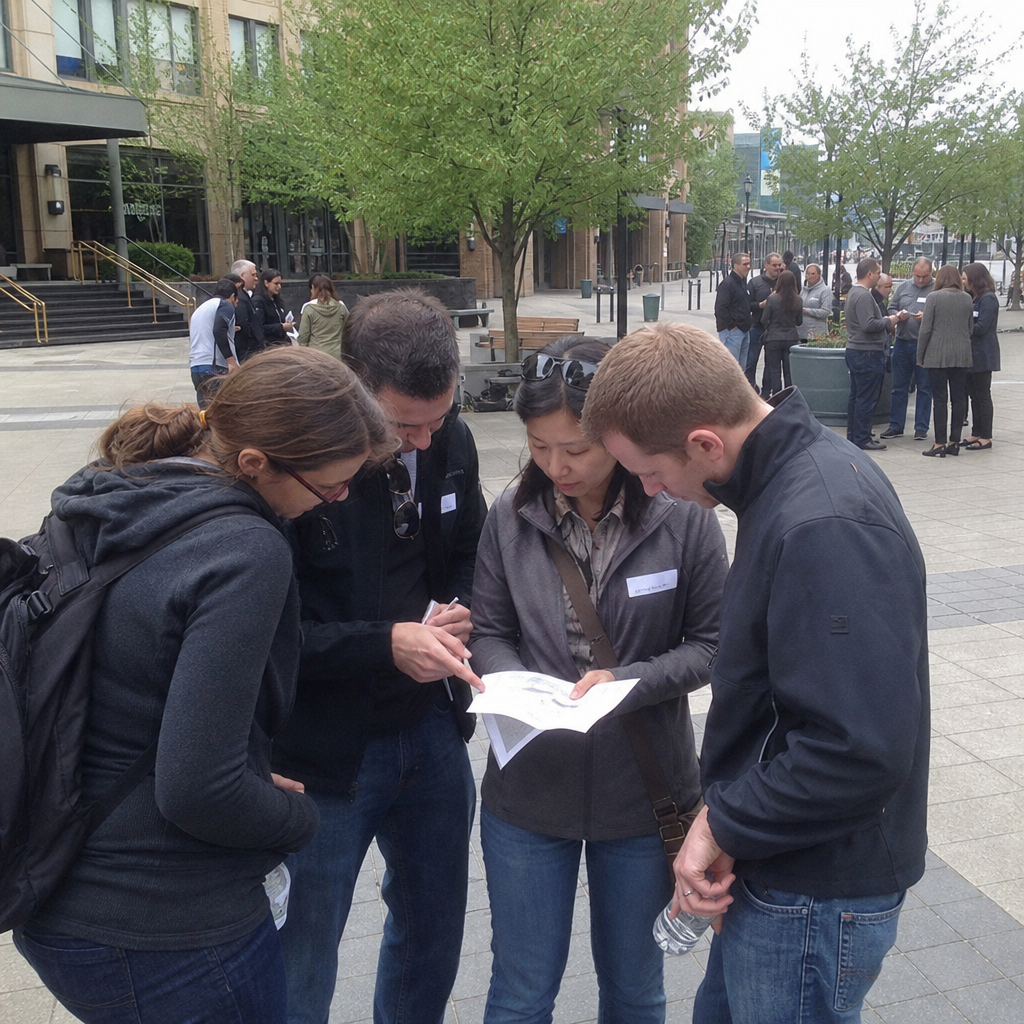
A city scavenger hunt gives coworkers a reason to explore together, compare interpretations, and decide what to tackle next. Small-team decisions can make the outing more participatory than following one guide as a large crowd.
Explore Social Scavenger's city scavenger hunts if you want an organized game rather than writing your own clue list. The Ultimate City Scavenger Hunt specifically includes 45+ challenges in a walkable area. That description applies to that game, not every city experience.
Before choosing, ask about the proposed route, timing, headcount, hosting arrangements, and participant requirements. A walkable area is not necessarily accessible to every coworker; discuss route needs and meaningful alternatives before committing.
2. Creative team photo challenge
For a DIY option, give teams the same prompt list and clear boundaries. Prompts might include creating a visual metaphor for teamwork with everyday objects or arranging a playful still life. Judge responses against announced criteria such as interpretation and originality.
Offer planning, writing, and organizing roles that do not require appearing in photographs. Avoid confidential workspaces and identifiable bystanders, and never require personal social-media posting. This is a generic DIY format, not a description of Social Scavenger functionality.
3. Volunteer shift or partner-approved kit-building project
Let a community partner identify useful tasks before inviting the whole company. A large volunteer turnout is helpful only when the partner has the work, space, supplies, and supervision to support it.
Split coworkers into smaller groups or shifts if needed. For kit-building, confirm the exact contents, quantities, assembly instructions, and delivery arrangements before buying anything. Budget for supplies, transportation, and partner staff time rather than assuming volunteering is free.
Indoor big group activities for offices and event venues
4. Interactive poster games
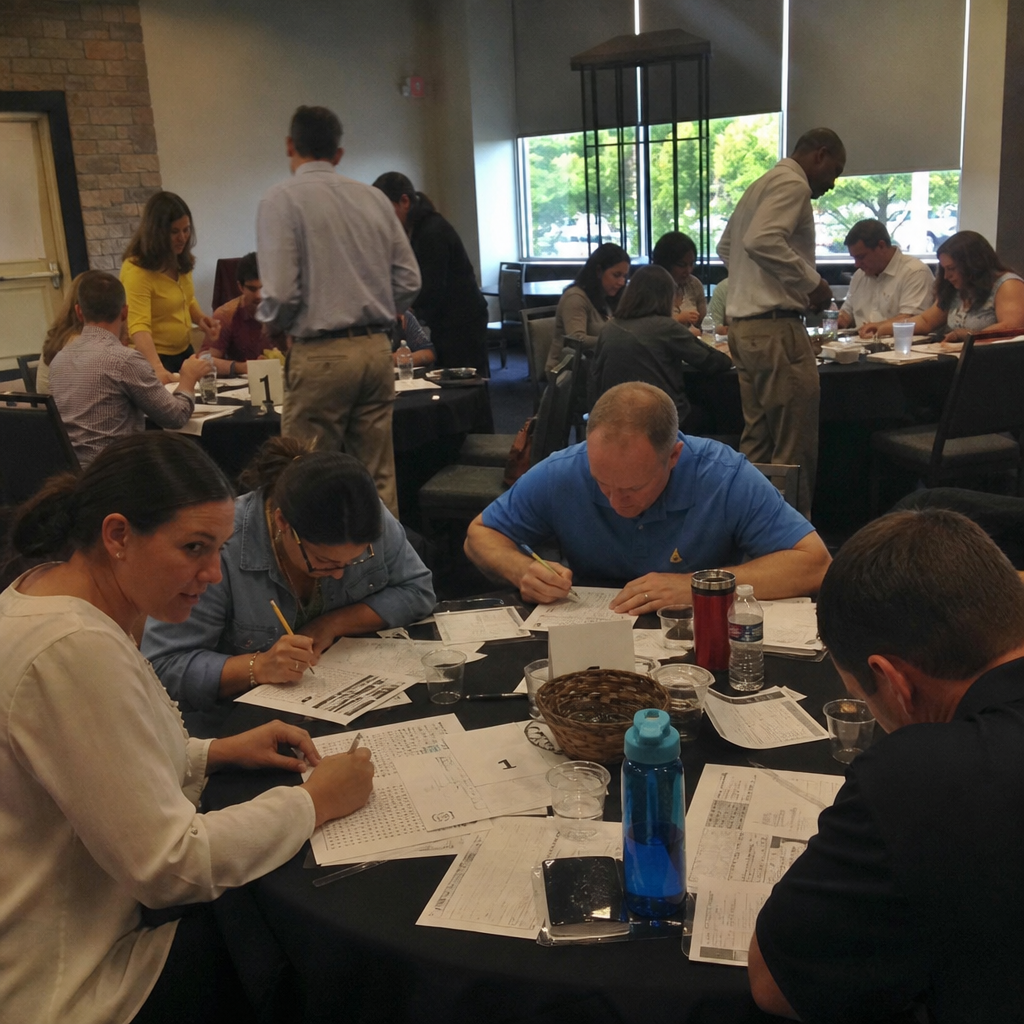
If the team is already gathering at an office, hotel, or event venue, consider an activity that uses that setting. Social Scavenger's interactive poster games include posters printed and shipped to your venue. Teams uncover hidden clues, solve puzzles, and take on photo, video, and AI challenges, followed by a leaderboard and slideshow reveal.
This gives planners a specific alternative to designing and producing their own venue-based game materials. It does not establish who installs the posters or facilitates the event. Confirm setup duties, hosting, shipping timing, capacity, and the usable layout. Ask how the challenges work and what participation or data considerations need review, including alternatives for coworkers who cannot take part in visual or camera-based tasks.
5. Team trivia with simultaneous answers
Keep everyone working by having teams submit answers at the same time. Avoid a format where one person answers while the rest of the company waits.
Mix question types and avoid relying entirely on company history that new hires will not know. Assign a facilitator and scorekeeper, test the answer method, and provide both written and spoken instructions where needed.
6. Escape room sessions or parallel tabletop puzzles
For an escape room outing, check the actual capacity of each room and the available session schedule. Do not assume one booking can accommodate the whole company, and plan something meaningful for any groups waiting between sessions.
A separate DIY alternative is parallel tabletop puzzles: each team receives a puzzle pack and works simultaneously. Prepare a consistent hint process so teams do not stall while waiting for help.
7. Cooking class with small-group workstations
Small-group workstations give coworkers shared tasks instead of leaving most people watching a demonstration. Ask the instructor how responsibilities can be divided across preparation, measuring, assembling, and presentation.
Confirm instructor coverage, equipment, dietary requirements, food safety, accessible work surfaces, seating, and cleanup. The usable teaching space—not simply the venue's advertised occupancy—should guide the booking.
8. Collaborative building challenge
Give each team identical materials, such as paper, tape, and lightweight craft supplies. Ask them to build a freestanding structure or a model that meets a simple brief.
Announce the scoring method before work begins: for example, meeting the brief, stability, and explaining the design. Include planning, testing, and documenting roles alongside assembly. You do not need expensive equipment to create a shared problem worth discussing.
9. Paired drawing and communication challenge
In pairs, one coworker describes a simple arrangement while the other draws from the instructions. Repeat with a new prompt and switch roles, then discuss which details and questions made the instructions easier to follow.
Drawing should not be the only participation route. Depending on individual requirements, offer an equivalent verbal sequencing task or another accessible communication exercise. Keep the discussion about instructions—not artistic ability.
Virtual and low-prep activities for large workplace teams
10. Hosted virtual mysteries, game shows, and creative challenges
Remote coworkers need an activity designed for participation, not a broadcast of an in-person event. Social Scavenger's live-hosted virtual team-building games include mysteries, game shows, and creative challenges on Zoom, Teams, or Google Meet.
Live hosting is a concrete distinction from an internally run game: you do not have to be the game host simply because you organized the gathering. That can make this option worth considering when the planner wants to participate too.
Confirm the format for your headcount, platform requirements, communication access, and technical responsibilities. Do not assume a virtual offering automatically includes a synchronized hybrid experience; discuss any mix of room-based and remote attendees separately.
11. Cross-department conversation rounds
Use pairs or small groups to introduce coworkers who rarely interact. Try work-appropriate prompts such as “What makes a handoff easier for your team?” or “What is one useful thing you learned recently?”
Allow optional passes and avoid compulsory personal disclosure. For remote rounds, use an accessible grouping method your team has tested rather than introducing an unfamiliar tool during the event.
12. Small-group idea exchange
Choose one focused question, such as how to make a recurring meeting more useful. Give everyone quiet thinking time before small-group discussion, with written and spoken contribution options.
Ask each group to submit one or two takeaways instead of requiring every participant to present. Explain who will review the ideas afterward so the exchange does not create vague expectations of immediate change.
How to organize big group activities without leaving people on the sidelines
Plan small teams, simultaneous play, and clear responsibilities
A scalable activity keeps multiple groups working at once. As an illustrative DIY arrangement—not a proven ideal or a Social Scavenger specification—100 coworkers could form 20 teams of five. You would still need to account separately for 20 sets of materials, usable space, supervision, and accessibility.
Give teammates useful roles, but let them choose or adapt those roles. Assign event-level responsibilities too: instructions, timing, materials, scoring, participant support, and troubleshooting. Avoid elimination formats that turn coworkers into spectators.
Check accessibility, weather, space, and technology
- Ask privately about accommodation requirements early enough to act on them.
- Provide clear instructions and accessible materials in advance where useful.
- Check entrances, routes, restrooms, seating, table access, and communication needs.
- Plan meaningful alternatives to walking, visual puzzles, photography, or video participation.
- For outdoor events, assign responsibility for monitoring conditions and deciding when to use the backup plan.
- For virtual attendance, test interaction tools, allow processing time, establish clear turn-taking, and name a technical support contact.
- For hybrid attendance, check that remote colleagues can contribute directly rather than depend on someone in the room to relay everything.
Treat these as organizer responsibilities to resolve with participants, venues, and providers—not as features automatically included in a game package.
Build a realistic schedule with breaks and a short debrief
Protect activity time rather than squeezing it between sessions that routinely overrun. This illustrative 90-minute DIY agenda is a starting point, not a provider schedule:
- 10 minutes: welcome, purpose, and instructions.
- 15 minutes: a warm-up and practice round.
- 45 minutes: the main activity.
- 10 minutes: breaks or transitions, placed where needed.
- 10 minutes: a short debrief.
Plan travel, meals, and any provider-specific schedule separately. Close with one useful question, such as “What helped your group make decisions?” rather than asking everyone for a speech.
DIY vs. organized Social Scavenger activities
When an internally organized activity makes sense
DIY is a sensible choice for a straightforward conversation round, drawing exercise, or trivia session when an internal owner can prepare and facilitate it. Before calling it low-cost, count staff time as well as supplies.
Your checklist includes writing and testing the activity, preparing accessible materials, assigning groups, explaining rules, facilitating, scoring where relevant, troubleshooting, and cleaning up. Decide whether the organizer is comfortable managing the session rather than participating throughout it.
Compare Social Scavenger city, poster, and hosted virtual options
An organized option is most useful when its confirmed deliverables address the work you want help with. Compare these three formats separately rather than assuming each includes the same service:
- City scavenger hunts: explore a city-game option instead of creating a DIY hunt from a blank page. The Ultimate City Scavenger Hunt offers 45+ challenges in a walkable area. Ask what event coordination, instructions, materials, and hosting are included in your proposed scope.
- Interactive poster games: printing and shipping the interactive posters are confirmed deliverables, alongside the described clues, puzzles, photo/video/AI challenges, and leaderboard and slideshow reveal. This can remove poster production from your internal task list. Clarify installation, facilitation, delivery timing, and the venue's responsibilities.
- Live-hosted virtual team-building games: live hosting is explicitly included for mysteries, game shows, and creative challenges on Zoom, Teams, or Google Meet. This is the clearest fit if the responsibility you want to hand over is hosting the game. Confirm what attendee preparation and technical coordination remain with your team.
Across all three, discuss how coworkers will participate and what happens if someone needs an alternative. A product description is not a substitute for confirming accessibility, real capacity, scoring responsibilities, troubleshooting, and the organizer's ability to join in.
Confirm scope and request a quote before committing
Compare total effort as well as price. For DIY, include preparation, facilitation, materials, equipment, and staff time. For an organized experience, ask for a written scope and quote identifying deliverables, internal responsibilities, logistics, and any additional costs.
Share your headcount, city or venue, preferred date, workplace goals, and participation requirements when you discuss your group and event goals. Those details help focus the conversation on an appropriate format rather than a generic package comparison.
Frequently asked questions about big group activities
What activities should we consider for 50 or 100 coworkers?
Shortlist formats that support simultaneous participation: team trivia, parallel tabletop puzzles, small-group creative challenges, or an organized city, poster, or virtual game. Then check actual capacity, materials, space, staffing, and access requirements. There is no universal winner based on headcount alone.
What can we organize with limited spending?
Conversation rounds, paired communication exercises, and internally written trivia can use familiar spaces and simple materials. Keep the format focused and reuse suitable supplies. They still require preparation and facilitation time, so assign an owner and budget for any accessibility needs.
How long should a large-group team-building activity last?
Separate a short warm-up from the main event. Set aside time for instructions, transitions, breaks, and a debrief—not just play. The 90-minute DIY example above is illustrative; confirm organized-game schedules with the provider and plan travel or meals separately.
How can remote colleagues participate meaningfully?
Give them direct ways to make decisions and contribute, with accessible tools and enough response time. A shared virtual activity may be more practical than asking remote coworkers to watch an in-person outing. Social Scavenger's live-hosted virtual options are worth discussing; confirm any hybrid requirements separately.
Ready to narrow the shortlist? Bring your headcount, location, preferred date, goals, and participation requirements to the conversation, and request a written scope and quote before committing.