


 Amazing Race
 Choose Wisely
 Unlock the Box
 Mall Hunters
 Mission Impossible
 The Great Charity Race
 Clues to a Mystery



 Random Acts of Kindness

 Where in the World is the Crystal Snow Globe?
 The Big Escape
 Team Trivia
 The Feud
 Summer Olympics
 Winter Olympics
 Who Kidnapped Santa?






Team building activities for small groups: start here with Social Scavenger
Finding something enjoyable for a small team shouldn't mean asking coworkers to perform, share personal stories, or squeeze into an activity designed for a crowd. Social Scavenger offers city scavenger hunts, interactive poster games at your venue, and live-hosted virtual games. These organized options are worth comparing when you'd rather not create the challenge yourself—or, for a virtual event, spend the whole session facilitating instead of playing.
For this guide, a small group means approximately 3–12 coworkers. That's an editorial planning range, not a booking minimum. With three to five people, try one cooperative group. Larger groups can use pairs or small teams, with a triad when numbers are uneven.
Start with your purpose: connection, collaboration, creativity, or a conversation about how you work together. Then choose the format. A 15-minute work-style exchange needs little setup; an outing needs more logistical planning; an organized game gives you a specific experience to evaluate rather than a blank planning page.
Quick comparison: choose an activity by group size, time, and setting
All DIY headcounts and timings below are editorial suggestions. Times cover the activity, not preparation or travel. Budget categories describe likely purchasing needs, not prices; existing materials still require staff preparation time. Provider-led activities need confirmed capacity, timing, and quotes.
- Work-style mini exchange — Suggested headcount: 3–12. Setting: office or remote. Activity time: 10–15 minutes. Preparation/materials: written prompts and somewhere to record an agreement. Budget: existing materials. Focus: communication preferences. Participation: voice, text, or pass.
- Describe-and-draw — Suggested headcount: 3–12 in pairs or a triad. Setting: office or remote. Activity time: 10–15 minutes. Preparation/materials: simple diagrams, paper, and pens. Budget: existing materials. Focus: clear instructions. Participation: offer a text-based matching alternative.
- Coworker skill swap — Suggested headcount: 3–8. Setting: office or remote. Activity time: 15–25 minutes. Preparation/materials: volunteer demonstrators and a practice example. Budget: existing materials. Focus: shared learning. Participation: demonstrating is optional.
- Cooperative tabletop puzzles — Suggested headcount: 3–12. Setting: indoors. Activity time: 20–30 minutes. Preparation/materials: organizer-written clue cards and answer sheet. Budget: supplies required. Focus: shared reasoning. Participation: readable clues and flexible roles.
- Paper bridge challenge — Suggested headcount: 3–12. Setting: indoors. Activity time: 20–30 minutes. Preparation/materials: paper, tape, supports, and a lightweight test object. Budget: supplies required. Focus: planning and iteration. Participation: building, designing, testing, or recording.
- DIY city photo scavenger hunt — Suggested headcount: 3–12. Setting: outdoors. Activity time: 45–60 minutes. Preparation/materials: checked route, prompt list, and a camera or phone. Budget: existing materials. Focus: observation and creativity. Participation: verify route suitability and offer non-photography roles.
- Escape room — Headcount and activity time: confirm with provider. Setting: indoor venue. Preparation/materials: booking and access checks. Budget: provider quote. Focus: sharing clues. Participation: check sensory conditions, mobility requirements, and exit procedures.
- Collaborative cooking class — Headcount and activity time: confirm with provider. Setting: teaching kitchen. Preparation/materials: booking, dietary information, and task planning. Budget: provider quote. Focus: coordinating a shared task. Participation: check workstations and non-cooking options.
- Volunteer shift — Headcount and activity time: confirm with organization. Setting: task-dependent. Preparation/materials: orientation and requested supplies. Budget: existing materials or supplies required, as confirmed. Focus: shared contribution. Participation: match tasks to preferences and abilities.
- Cooperative online trivia — Suggested headcount: 3–12. Setting: remote. Activity time: 15–25 minutes. Preparation/materials: organizer-written questions and shared score sheet. Budget: existing materials. Focus: pooling knowledge. Participation: written questions with voice or text answers.
- Asynchronous photo-and-story prompt — Suggested headcount: 3–12. Setting: remote. Activity time: 5–10 minutes per person during an optional workday window, plus a short recap. Preparation/materials: neutral prompt and shared channel. Budget: existing materials. Focus: low-pressure connection. Participation: text-only responses welcome.
- Live-hosted virtual game — Headcount and activity time: confirm with provider. Setting: remote. Preparation/materials: confirm platform, equipment, and participant instructions. Budget: provider quote. Focus: shared problem-solving or creativity, depending on the game. Participation: confirm communication and access arrangements.
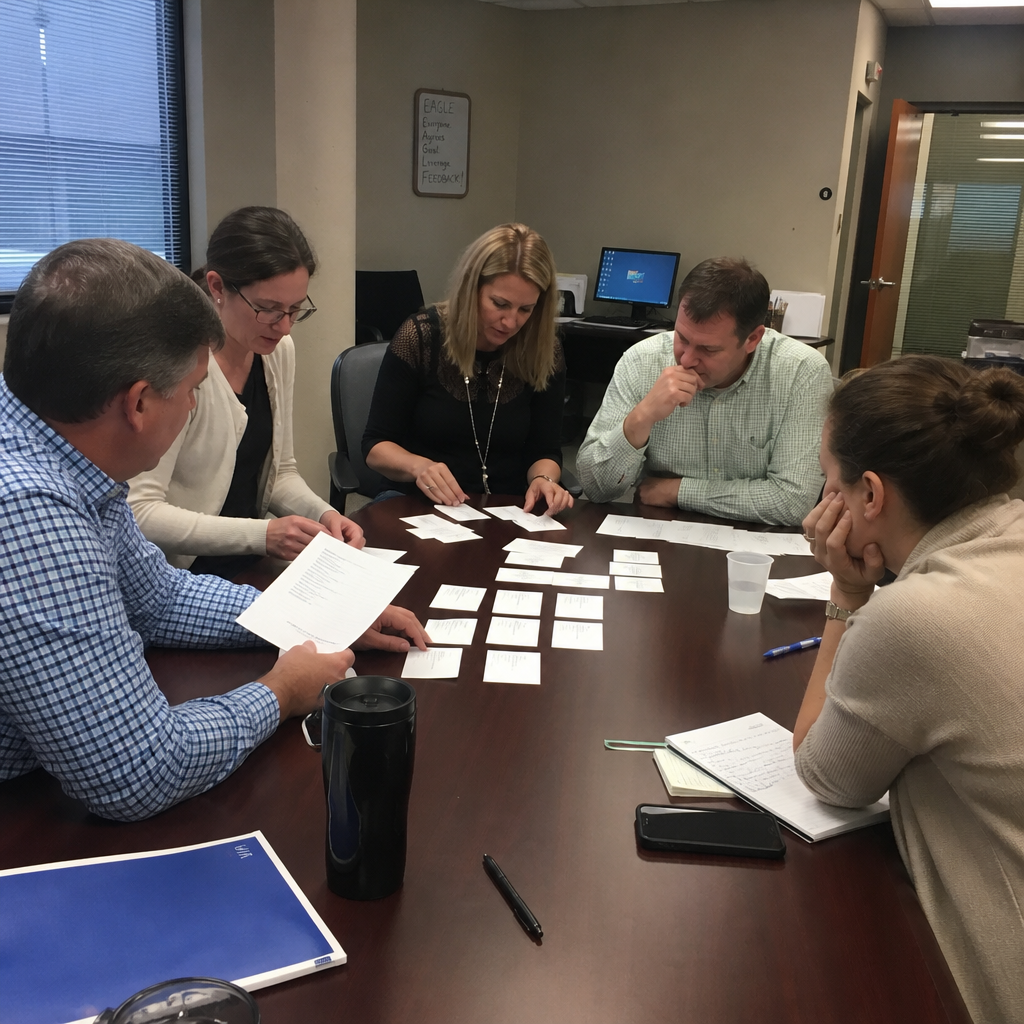
Quick small-group activities for the workplace
1. Work-style mini exchange
Give everyone a choice of work-focused prompts: What makes a handoff useful? When is a written update better than a meeting? What information helps you start a task?
Allow a minute to think, then invite spoken or written contributions. Use the remaining time to choose one shared communication preference to try, such as including a deadline and owner in each handoff. Keep it to 10–15 minutes and avoid turning preferences into personality labels. This is a short discussion starter, not a full working-agreements workshop.
2. Paired describe-and-draw challenge
Prepare simple diagrams made from shapes. One partner describes a diagram without showing it; the other asks questions and draws. Swap roles, then discuss which instructions reduced confusion. In a triad, the third person can note helpful questions before roles rotate.
Allow 10–15 minutes with paper and pens. Offer an equally valid text-based version: describe an arrangement and have a partner match it to a written option. The point is clarifying instructions, not drawing ability.
3. Coworker skill swap
Invite one or two volunteers to demonstrate a low-stakes skill, such as a spreadsheet shortcut or a clearer way to structure a presentation. Follow each demonstration with a small practice task.
Use 15–25 minutes and agree on the topic beforehand. Nobody needs a polished presentation, and nobody should be evaluated. Coworkers who don't want to demonstrate can practice, ask a question, or contribute a written tip.
Indoor team building activities for small groups
4. Cooperative tabletop puzzles
Create a short set of clue cards that lead to one shared answer. For a 20–30-minute session, keep the clues manageable and prepare a hint sheet. Rotate reading, recording, and checking responsibilities so one confident solver doesn't take over.
Want an organized alternative to writing and testing your own clues? Social Scavenger's interactive poster games use posters printed and shipped to your venue. Teams uncover hidden clues, solve puzzles, and complete creative photo, video, and AI challenges before a leaderboard-and-slideshow reveal.
That is a separate product, not a technology layer included with this DIY exercise. It shifts poster production away from your team; ask what local setup, equipment, and facilitation are needed, and whether the format fits your headcount and participation preferences.
5. Paper bridge challenge
Provide equal amounts of paper and tape. Ask pairs—or one cooperative group—to build a bridge between two stable tabletop supports. Set a consistent gap and test each design with the same lightweight object.
Allow 20–30 minutes for planning, building, testing, and one revision. Keep the focus on what changed between attempts rather than declaring a winner. Offer design, construction, testing, and recording roles so handling materials isn't the only way to contribute.
Small-group team outings
6. City photo scavenger hunt
For a DIY version, plan a short route and a handful of observation or creativity prompts: find an interesting geometric pattern, spot an unusual color combination, or photograph a team-created arrangement of everyday objects. Allow 45–60 minutes, with extra time outside that estimate for travel.
Check the route in advance. Don't photograph strangers, enter private property, or reward speed through traffic. Let coworkers contribute by interpreting clues, recording observations, or planning a composition rather than requiring everyone to appear in photos.
For an organized option, explore Social Scavenger's city scavenger hunts. The Ultimate City Scavenger Hunt features 45+ challenges in a walkable area. That's distinct from the shorter DIY route described here; its duration, team configuration, price, and hosting arrangements need confirmation.
Bring your location, headcount, and participation needs to the conversation. A walkable area doesn't automatically mean a suitable route for every coworker, so verify the actual conditions before choosing an outdoor format.

7. Escape room
An escape room gives a small group a common puzzle to work through. Before booking, check capacity, difficulty, mobility and sensory conditions, and how someone can leave the experience.
Agree to share discovered clues aloud and make space for others to investigate. Avoid letting one person control every puzzle. Confirm duration, price, and private-booking availability with the provider rather than assuming your group will have the room to itself.
8. Collaborative cooking class
Choose a shared preparation task with rotating responsibilities rather than a contest based on existing cooking ability. Ask about dietary needs privately before selecting a menu.
Confirm accessible workstations, safe task assignments, and meaningful non-cooking options with the provider. Someone might help coordinate steps or organize serving materials, depending on the class. Check the duration, cost, and participant capacity before sending invitations.
9. Volunteer shift
Start with an organization's actual needs, not a photo opportunity. Ask whether it can accommodate your team's size and schedule, what orientation is required, and which tasks are suitable.
Don't assume walk-ins are welcome or that every task suits every participant. Cover agreed event expenses through the employer rather than requesting personal donations from coworkers. Respect the organization's privacy rules, and don't use the people it serves as photo opportunities.
Virtual team building activities for small groups
10. Cooperative online trivia
Write a short set of mixed-topic questions and give the whole team one shared score. Allow 15–25 minutes, including time to discuss possible answers rather than rewarding only the fastest response.
Provide every question in writing and accept contributions through voice or text. Avoid company-history questions that favor long-serving employees. Explain answers briefly, and keep difficult questions playful rather than turning the session into a knowledge test.
11. Asynchronous photo-and-story prompt
Post a neutral prompt such as, “Share an everyday object with a design detail you appreciate.” Offer an optional workday participation window and invite a sentence explaining the choice.
A text-only description counts equally. Don't require home tours, family photographs, purchases, or public posting. Keep the recap short and focus on shared observations, without asking people to explain anything more personal than they volunteered.
12. Live-hosted virtual mystery or creative challenge
If your organizer would rather join the game than manage questions and pacing, consider Social Scavenger's live-hosted virtual team building games. Options include corporate mysteries, game shows, and creative challenges on Zoom, Teams, or Google Meet. Social Scavenger hosts, so the organizer can play too.
Choose the category around the experience your team wants: a mystery, a game-show format, or a creative task. Request confirmed timing and headcount requirements rather than using the DIY trivia estimate above as an event specification.
Before booking, discuss equipment and participation needs, including written instructions, captions, or other communication arrangements. Don't assume those features are included. For hybrid teams, separately confirm whether the proposed format and room setup support meaningful participation across locations.
How to run an inclusive small-group activity
Ask about preferences and participation needs before choosing
Ask privately what would make participation easier, without requiring anyone to disclose a diagnosis or explain personal circumstances. Offer choices around speaking, movement, photography, and task roles.
For outings, check routes, entrances, seating, washrooms, communication formats, and quiet-space options. Share confirmed access information before people commit. Build those needs into the selection rather than choosing an activity first and hoping to adapt it later.
Set clear rules, share responsibilities, and make passing acceptable
Explain the goal, time limit, and available roles before starting. Make passing or switching roles acceptable without a public explanation. Avoid compulsory touch, blindfolds, personal disclosures, or activities centered on alcohol.
With a small group, one voice can dominate quickly. Use written thinking time and invite additional ideas without singling out quieter coworkers. For remote sessions, share instructions in writing instead of relying only on spoken directions.
Finish with a short debrief and one practical takeaway
Ask three questions: What helped us coordinate? What made participation harder? What should we repeat? Accept written feedback as well as spoken comments.
Record one agreed action, such as checking understanding before starting a shared task, and revisit it at a later meeting. A short debrief can make the experience more useful; it isn't proof that one activity will improve productivity or retention.
DIY vs. an organized Social Scavenger experience
Choose DIY when you can prepare and facilitate the activity
DIY works well when the scope is small and someone has time to own it. That person writes and checks challenges, gathers materials, explains the rules, handles questions, and keeps the session moving. Even an activity using existing supplies has a preparation cost in staff time.
A work-style exchange or describe-and-draw exercise is a sensible starting point for a short meeting slot. For a larger occasion, weigh the organizer's workload against an organized format. The useful question isn't simply “Can we make this ourselves?” It's “Who will prepare it, and will that person get to participate?”
Compare Social Scavenger city, poster, and live-hosted virtual options
Social Scavenger's formats solve different planning problems. Match the product to your setting and the work you want to hand over, rather than assuming every option comes with the same services.
- For an outing, compare city scavenger hunts with creating your own route and prompts. The Ultimate City Scavenger Hunt provides a format with 45+ challenges in a walkable area. Ask which city experience suits your group and clarify route details, equipment, facilitation, and day-of questions.
- For an indoor event, compare interactive poster games with writing clue cards and producing puzzle materials yourself. Social Scavenger prints and ships the posters; the experience includes hidden clues, puzzles, creative photo, video, and AI challenges, followed by a leaderboard-and-slideshow reveal. Confirm shipping lead time, venue setup, and who handles facilitation. An on-site host is not established by the product description.
- For a remote event, compare live-hosted virtual team building games with writing questions and running the call yourself. Live hosting is explicitly part of this format, allowing the organizer to play. Confirm the selected game, platform, participant requirements, and timing. Don't extend that hosting arrangement to city or poster games without checking.
The practical advantage depends on the format: shipped posters remove the need to produce your own poster materials, while virtual hosting takes live facilitation off the organizer's plate. You still need to coordinate attendees, communicate requirements, and verify fit. Organized doesn't mean zero preparation.
Confirm group fit, timing, accessibility, and pricing before booking
Send Social Scavenger your headcount, location or remote setup, desired date, participation needs, and goals. Explain whether you want a cooperative experience, optional team competition, or a format where the organizer can join in.
Ask which game fits, then request confirmation of minimum participants, minimum spend, timing, equipment, setup responsibilities, facilitation, and applicable USD or CAD pricing. For poster games, also discuss delivery and venue arrangements. For virtual games, check communication needs; for city games, verify route conditions.
Ready to compare those options? Discuss your small-group event with Social Scavenger and request a quote based on your actual requirements.
Frequently asked questions
What are good team building activities for three to five coworkers?
Try one cooperative tabletop puzzle, a work-style exchange, or a shared trivia score. Keep everyone working toward the same goal rather than forcing a tiny group into competing teams. For describe-and-draw, use a pair and a triad when needed.
Which small-group activities need little or no extra spending?
A work-style exchange, skill swap, or asynchronous text prompt can use existing workplace tools. Describe-and-draw may only need paper and pens already on hand. Include preparation and facilitation time in your planning, even when you don't buy supplies.
What can a small team do in 15 minutes?
Choose the work-style exchange or describe-and-draw exercise. Keep instructions brief and save the final two minutes for one observation or takeaway. If your slot is firm, don't add extra rounds that crowd out reflection.
How can quieter coworkers participate without being put on the spot?
Give everyone thinking time, accept written contributions, and offer roles such as recording or checking. Make passing normal. Don't assume that someone who speaks less wants the same role every time; ask about preferences rather than assigning them.
What works for a small remote or hybrid team?
For remote teams, try cooperative trivia, a written work-style exchange, or an asynchronous prompt with voice and text choices. Social Scavenger also offers live-hosted virtual formats. For hybrid participation, verify the setup separately; adding a video call to an in-person activity doesn't automatically create an equivalent experience.
Can a very small team book a Social Scavenger game?
Ask Social Scavenger to confirm suitability for your exact headcount and preferred format. This article's 3–12-person planning range is not a product minimum. Confirm minimum participants, team configuration, minimum spend, timing, and availability before making plans around a specific game.
You don't need a crowded agenda to make shared time worthwhile. Choose one experience that fits your coworkers, clarify the practical details, and leave room for everyone to contribute. If an organized game is the better fit, bring your brief to Social Scavenger.