

No time to go through our whole How-To Guide but still interested in building your own scavenger hunt app through Social Scavenger?
Well, you're in luck, this short and sweet guided tour blog post will go over how you can create a free trial scavenger hunt app game on your mobile device and create a hidden objects game.
1. If you haven't already downloaded the app, you can open this link with your smartphone to access the download link.
2. Go to app.socialscavenger.com to get started.
3. Click "Sign In" in the top right corner of the Screen.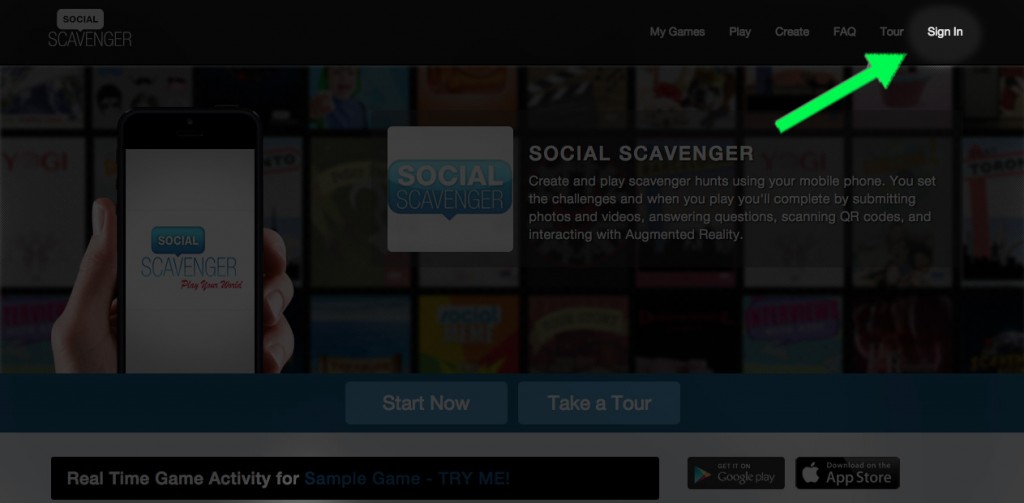

4. You have 3 options to create an account on Social Scavenger:
- Sign up with Facebook
- Sign up with Twitter
- Sign up through Email
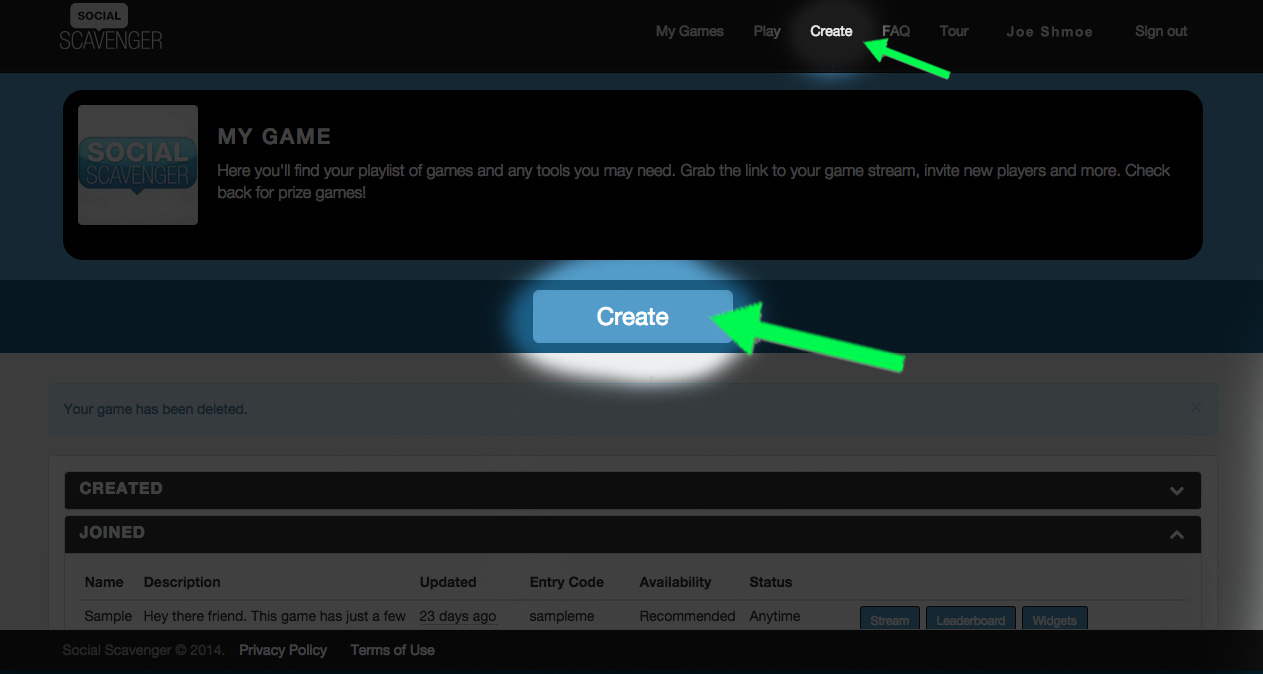
5. Create your game. You can find a button at the top right under Create, OR under My Games -> and then the big "Create" button in the middle of the screen.
6. Enter your basic settings, most will be set by default (you can always change these settings at any point during your game.) Name, description, all that jazz. The more unique, the better.
Tip: Hover over the blue question mark circle to prompt a description of each setting.
 Note: the 'Game Builder' box to your right is the motherboard control pad for your scavenger hunt app game.
7. Creating Challenges. Once you fill in all settings, now comes the fun part! To create and customize challenges, click the "Challenges" tab under the Game Builder box, OR under My Games -> Challenges.

8. Customizing your game with challenges.
When you create your game, there will already be a few default challenges to help you along. Feel free to use these and customize them to your liking, otherwise, you can delete them by clicking Edit -> the white X at the top right corner of the box.
When you create your game, there will already be a few default challenges to help you along. Feel free to use these and customize them to your liking, otherwise, you can delete them by clicking Edit -> the white X at the top right corner of the box.

9. Types of Challenges. There are 6 challenges to choose from for your scavenger hunt app game to stand out.
To set a challenge, under Edit click the first camera icon and 'Complete by:"
You can choose Photo, Video, Trivia, AR, Text, and QR Codes to find hidden objects. Following the Challenge Type, you can also customize:
Point Value
Date/Time Limit
Locking a challenge to a particular location
Challenge Lock (completing a prerequisite challenge in order to move on to the next one)
Live Stream (if you want submissions to this challenge to be viewed by your players)
To set a challenge, under Edit click the first camera icon and 'Complete by:"
You can choose Photo, Video, Trivia, AR, Text, and QR Codes to find hidden objects. Following the Challenge Type, you can also customize:
Point Value
Date/Time Limit
Locking a challenge to a particular location
Challenge Lock (completing a prerequisite challenge in order to move on to the next one)
Live Stream (if you want submissions to this challenge to be viewed by your players)
10. Save and Play. Once you save edits to a challenge, it will be live and ready to play on your smartphone.

Now email us and we can make your scavenger hunt experience game free (but keep in mind your game is only accessible to you.)
This is a great way to test your scavenger hunt app game out, risk-free, anytime and anywhere.
If you're happy with your game and want to start inviting others to play and join you in your treasure hunts, contact us at info@socialscavenger.com and we figure out a price to fit your needs. Happy Scavenging!
